Mid 2010 Mac mini with original 320 GB internal HD, 16 GB RAM, OS X Yosemite. The internal HD is the boot disk, the OS and all apps as well as documents live on that HD. I keep my libraries (photo, music) on external HD #1, a Time Capsule backup on one partition of external HD #2, and use Carbon Copy Cloner to make a weekly copy of the internal HD and the libraries on another partition of external HD #2.
I ran Disk Utility / Verify on the internal HD, and it said the disk needed to be repaired from the Recovery HD. I booted with the Option key to the Recovery HD and ran Disk Utility / Repair on the internal HD, but it said the disk could not be repaired. Here is the screenshot.
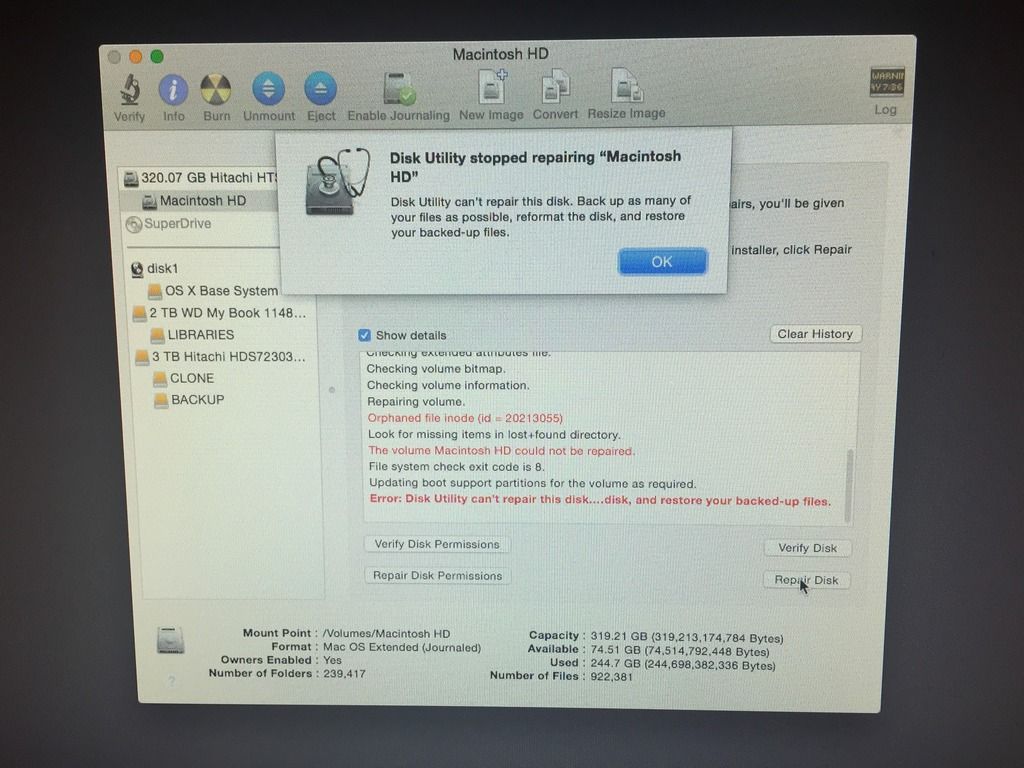
What would you do?. I'm thinking I should make a bootable thumbdrive with OS X Yosemite, install a new internal HD, do a clean install of OS X Yosemite on the new internal HD. Then would you
#1 restore from backup, or would that simply duplicate all the errors in the current internal HD?. Or would you
#2 manually download and reinstall all apps and copy back all data, which will be time consuming. Or is there a better option?
I could buy a new Mac Mini but I don't like the current ones, and am holding out in hopes Apple will offer quad-core versions again.
By the way, the Mac Mini is, so far, starting up and operating normally
AFAIK.